
Free web hosting control panel for Linux Servers
Websites, domains, email, databases, DNS, free SSL, WordPress, security and backups. A free cPanel alternative with one admin panel for all your servers and a clean panel for every customer.
- $0
- Per server, no license
- 5
- Web server setups
- 40+
- Customer tools
- Signed
- Every release, Ed25519
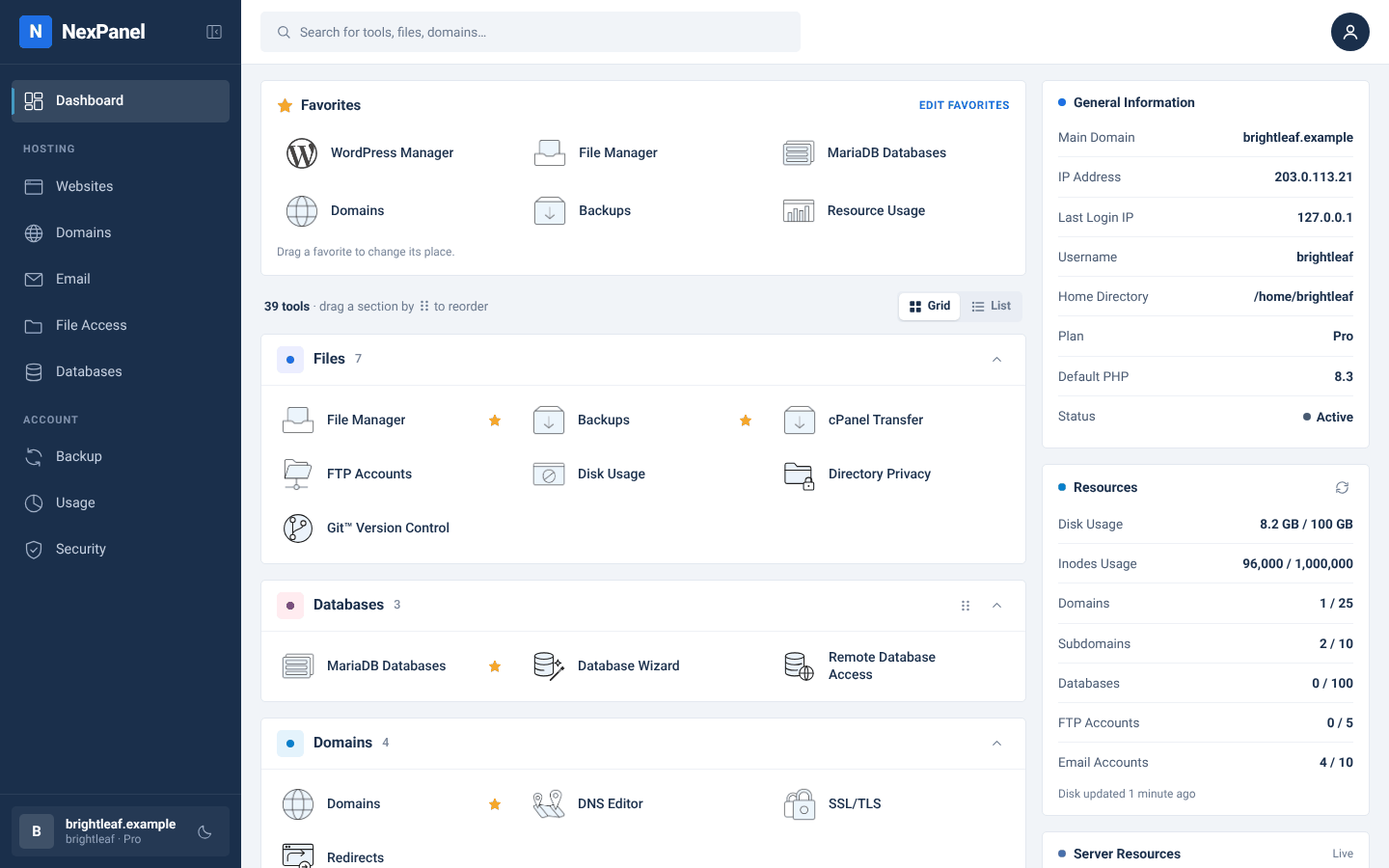
The customer panel. Demo data, real screen.
The stack it installs and manages
- Nginx
- Apache
- OpenLiteSpeed
- LiteSpeed Enterprise
- PHP-FPM, multiple versions
- MariaDB
- Postfix · Dovecot
- Rspamd
- PowerDNS
- Node.js
- Python
- Ruby
- Let’s Encrypt
- restic
- nftables
- ModSecurity
About
What is NexPanel?
NexPanel is a free Linux web hosting control panel designed for web hosting providers, server administrators, agencies and developers. It provides a central administration panel for managing hosting servers and a separate control panel for customers.
It combines website hosting, domain and DNS management, email hosting, database administration, SSL certificates, WordPress management, application hosting, resource limits, security tools and encrypted backups in one platform.
Hosting providers can manage multiple servers, configure hosting packages, control account resource usage, monitor server health and migrate cPanel accounts. Built-in security includes NexShield abuse protection, a firewall, the ModSecurity web application firewall, NexScan malware scanning and account isolation.
NexPanel is free to use on any number of servers, with no per-account licence fees or paid add-ons; only LiteSpeed Enterprise, if you choose it, needs its own licence. It supports AlmaLinux, Rocky Linux and RHEL 9 and 10 on x86_64.
Why NexPanel
Everything a shared hosting server needs, without the add-on bill
Most servers run a panel plus three or four paid extras. NexPanel ships those pieces itself and asks nothing for any of them.
Many servers, one panel
Start all-in-one. Later add hosting nodes with a one-time token and manage the whole fleet from one admin panel.
Security built in
NexShield bot and brute-force protection, nftables firewall, ModSecurity, NexScan malware scanning and a cage per account.
Per-account limits
CPU, memory, entry processes, I/O and IOPS on cgroup v2. One busy site can’t slow the others down.
WordPress and apps
WordPress Manager with clone, update and hardening. Node.js, Python and Ruby apps with their own service.
Encrypted backups
restic to S3, SFTP, SSH or a local disk, with schedules, retention, and self-restore for customers.
Bring your cPanel customers
Convert cpmove archives, or copy accounts live over SSH, sync again, then switch with traffic forwarded.
For hosting providers
See every server, fix problems from one page
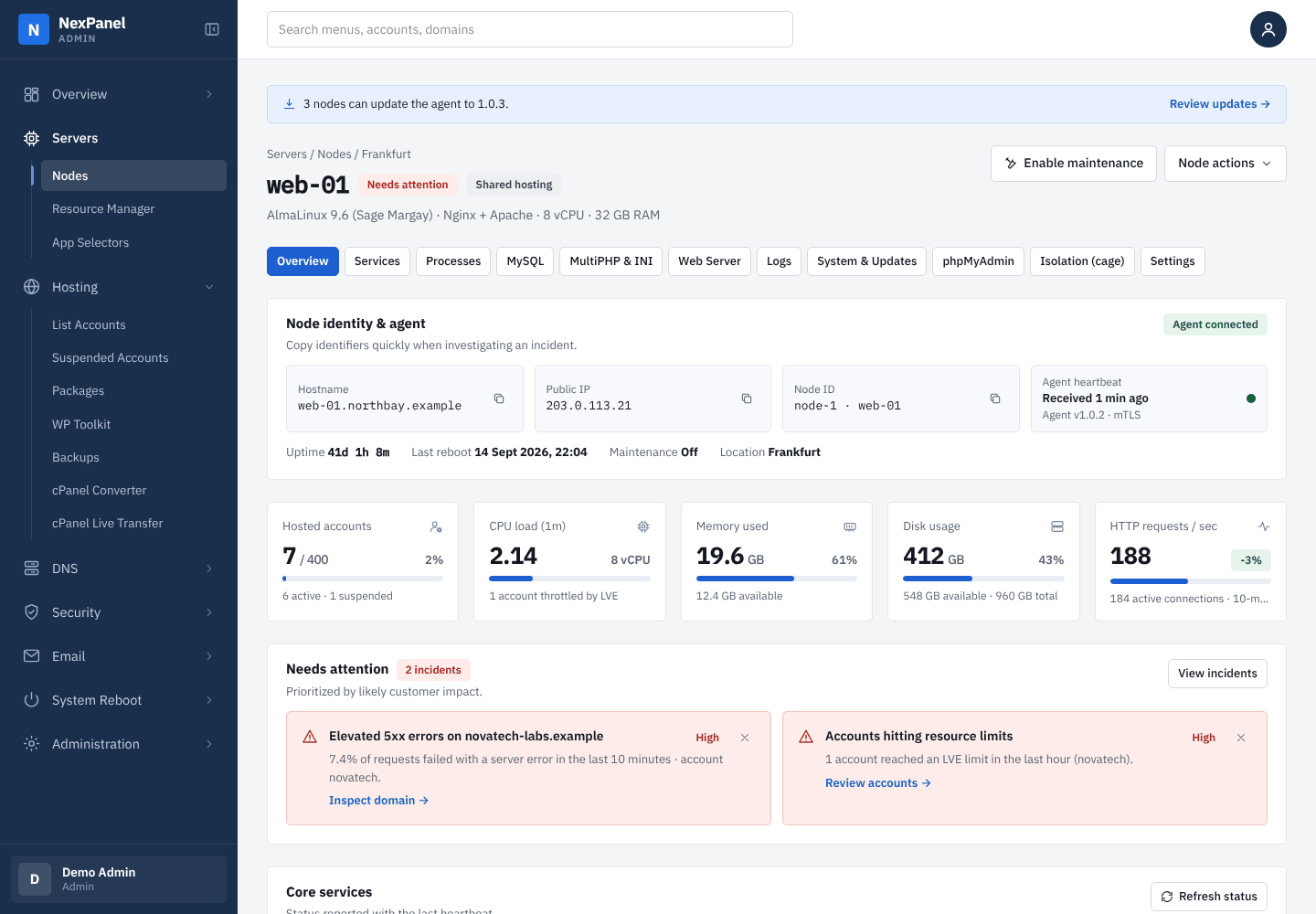
The server overview puts live load, ranked problems, services, busy domains and heavy accounts in one place. Every change runs as a job you can read and retry.
- Packages with disk, inode, CPU, memory, I/O and PHP worker limits
- Switch web servers per node; a failed switch puts the old one back
- Staff roles for admin, support and billing, with an audit log
- Reboot, restart services and kill runaway processes from the panel
For website owners
Domains, email, SSL, databases and WordPress
Customers get a tidy panel with tools in plain groups. They pin the ones they use, and there’s a dark mode.
- Free SSL from Let’s Encrypt, issued and renewed automatically
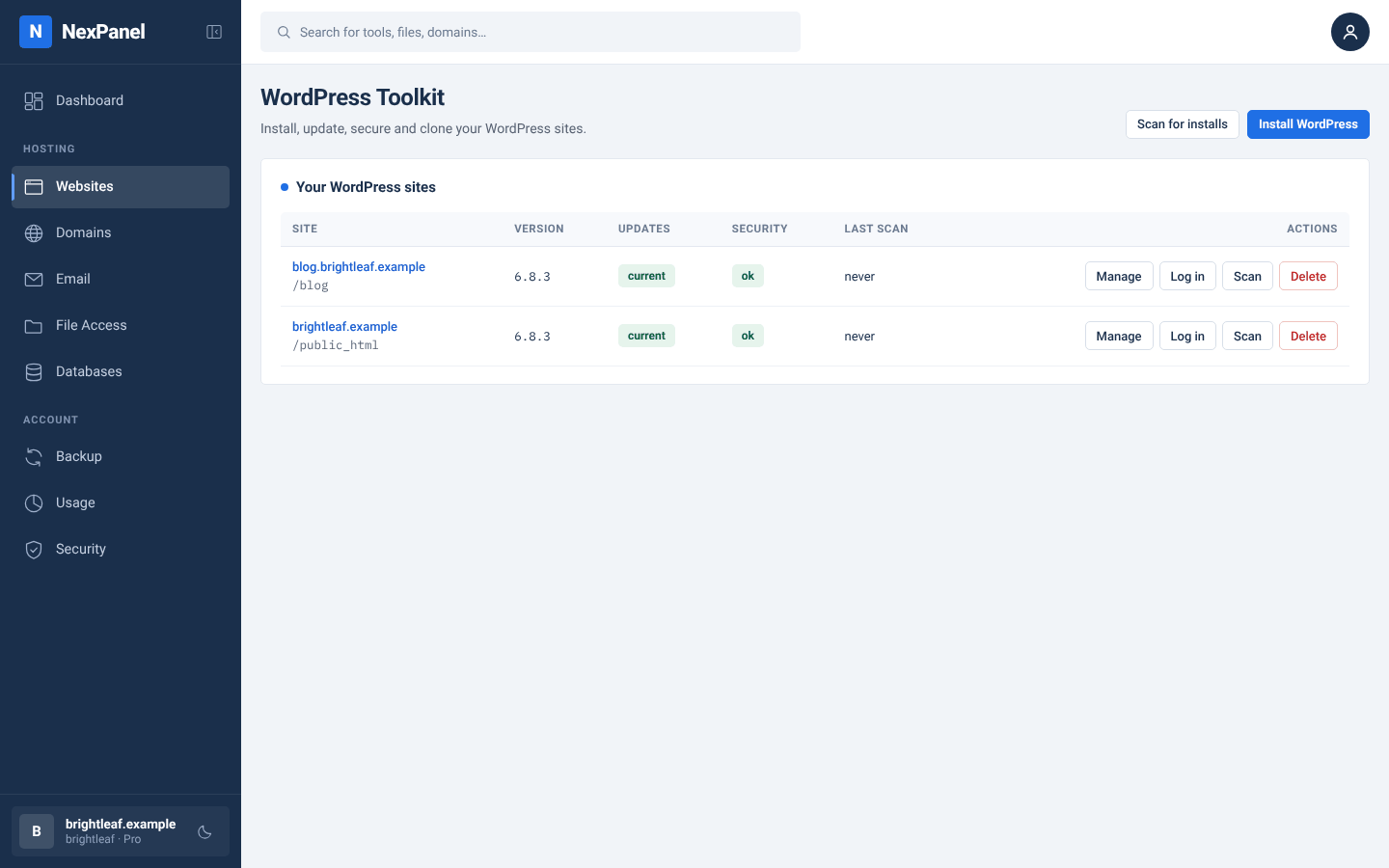
- WordPress Manager: install, update, clone, harden, one-click login
- Mailboxes, forwarders, autoresponders and Roundcube webmail
- File Manager, cron, Git, FTP and a terminal in the browser
No licensing
Free on every server you run
No per-account pricing, no editions, no add-on store. The only paid piece is LiteSpeed Enterprise, and only if you choose it.
Install
One command, checked from start to finish
The installer checks its own signature, then every package’s, before it runs anything. Updates are checked the same way.
-
1
Fresh server
AlmaLinux, Rocky Linux or RHEL 9 or 10 with root. 2 vCPU and 4 GB is enough to try it.
-
2
Run one command
It downloads the installer, which verifies itself and every package with the NexPanel release key.
-
3
Log in
Admin on port 2087, customers on 2083.
Run as root:
Updates
Updates from the admin panel, not a 2 a.m. SSH session
The panel tells you
When a release is out, admins see it with the release notes.
Servers update themselves
Each node downloads the package and checks it. Sites stay up while the agent restarts.
Backed up first
The controller saves code and database, and puts them back if anything fails.
Use cases
Built for how you host
Shared hosting
Packages, limits and isolation so hundreds of accounts share a server safely.
WordPress hosting
Manager, hardening and a toolkit for staff across every server.
Agencies
Host your clients’ sites, each with its own login and limits.
Leaving cPanel
Convert archives or sync live over SSH, then switch over.
FAQ
Frequently asked questions
What is NexPanel?
NexPanel is a free Linux web hosting control panel for hosting providers, server administrators, agencies and developers. It has an admin panel for managing hosting servers and a separate control panel for each customer, and runs on AlmaLinux, Rocky Linux and RHEL 9 and 10 (x86_64). Read the introduction.
Is NexPanel a free alternative to cPanel?
Yes. NexPanel is a free alternative for hosting providers that need server administration, customer hosting accounts, website management, email, DNS, security and backups. It can import cPanel accounts from cpmove archives or copy them live over SSH. Features and account settings differ between panels, so move a few test accounts before migrating a whole server. Migrating from cPanel.
Is it really free?
Yes, on as many servers and accounts as you like, with no per-account licence and no paid add-ons. The only paid component is LiteSpeed Enterprise, and only if you choose that web server and bring your own licence.
Which Linux distributions does NexPanel support?
AlmaLinux, Rocky Linux and RHEL 9 and 10 on x86_64. Ubuntu and Debian are not supported yet. Install on a fresh, minimal server with root access and no other control panel. System requirements.
How do I install a hosting control panel on AlmaLinux 9 or 10?
Use a fresh AlmaLinux 9 or 10 server (2 vCPU and 4 GB of memory is enough to try it). As root, run curl -fsSLO https://downloads.nexpanel.app/install/install.sh && bash install.sh --all-in-one --email you@example.com. The installer checks its own signature and every package’s before it runs anything. The admin panel is then on port 2087 and the customer panel on 2083. Installation guide.
Can I manage multiple hosting servers from one dashboard?
Yes. One controller manages any number of hosting servers (nodes). Each node runs the NexPanel agent and joins with a one-time token. The agent connects out to the controller, so nodes don’t need an open management port. Managing nodes.
How do I migrate cPanel accounts to NexPanel?
Two ways. The cPanel Converter turns cpmove archives into accounts with their domains, databases, email, FTP accounts, cron jobs, DNS zones and SSL certificates. cPanel Live Transfer copies accounts over SSH, syncs again as often as you need, then switches over while the old server forwards traffic. Migration guide.
Does NexPanel include malware scanning?
Yes. NexScan is built in: it scans accounts on a schedule or on demand, can check new uploads, and quarantines or restores files. It sits alongside NexShield bot protection, an nftables firewall, ModSecurity and per-account isolation. Malware scanner.
How do I set CPU and memory limits per hosting account?
Set them in the hosting package: CPU, memory, entry processes, processes, disk I/O and IOPS. The LVE manager applies them with cgroup v2 (the default on AlmaLinux 9 and 10) and needs no kernel module. Accounts that hit a limit are listed on the server overview. Resource limits.
Does NexPanel support WordPress hosting?
Yes. Customers get a WordPress Manager to install, update, clone, harden and log in to sites with one click, and staff get a toolkit that lists every WordPress site across all servers. WordPress.
How do updates work?
The admin panel shows new releases with their notes. You update the controller, hosting agents and the LVE manager from Administration › Updates. Every package is signature-checked, and the controller backs up first and rolls back if an update fails. Updates.
Ready to try NexPanel?
Install it on a spare AlmaLinux 9 or 10 server this afternoon. One command installs everything.